You Can Now Gift Switch and Switch 2 Games to Your Family Group: How It Works
GAME MODE Staff·Nov 26, 2026· 2m read
Nintendo eShop gifting is live for family groups on system version 23.5.0 or later. Here is how to send a game, what is eligible and who can’t send.
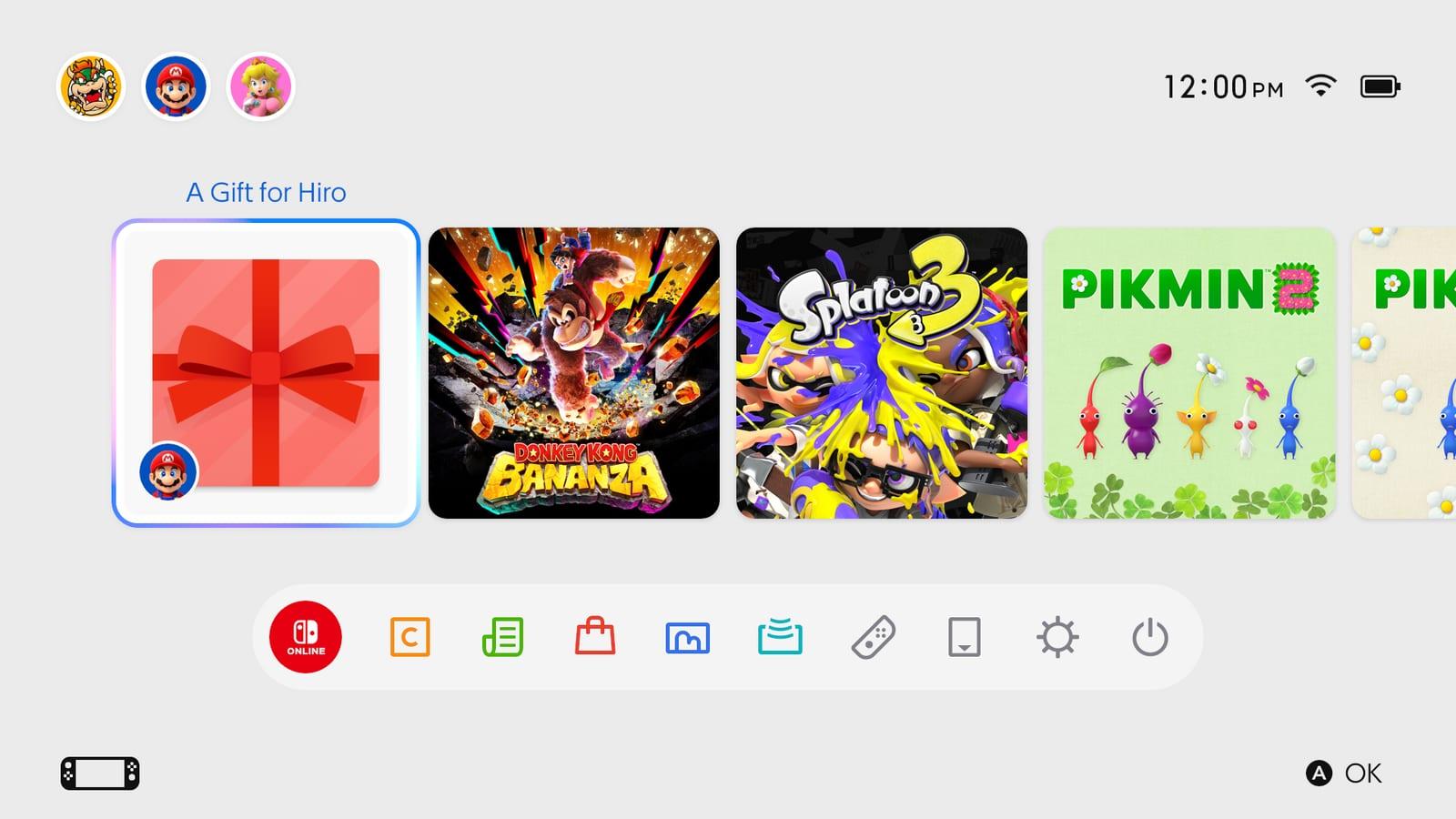
You can now buy a Nintendo eShop game as a gift for someone in your Nintendo family group, on both Switch and Switch 2. Gifting arrived with a Nintendo eShop update in mid-November, just in time for the holiday sales, and it needs system version 23.5.0 or later.
Nintendo’s US news post gives November 16 as the start date, while its support page says November 17. Either way, it’s live now.
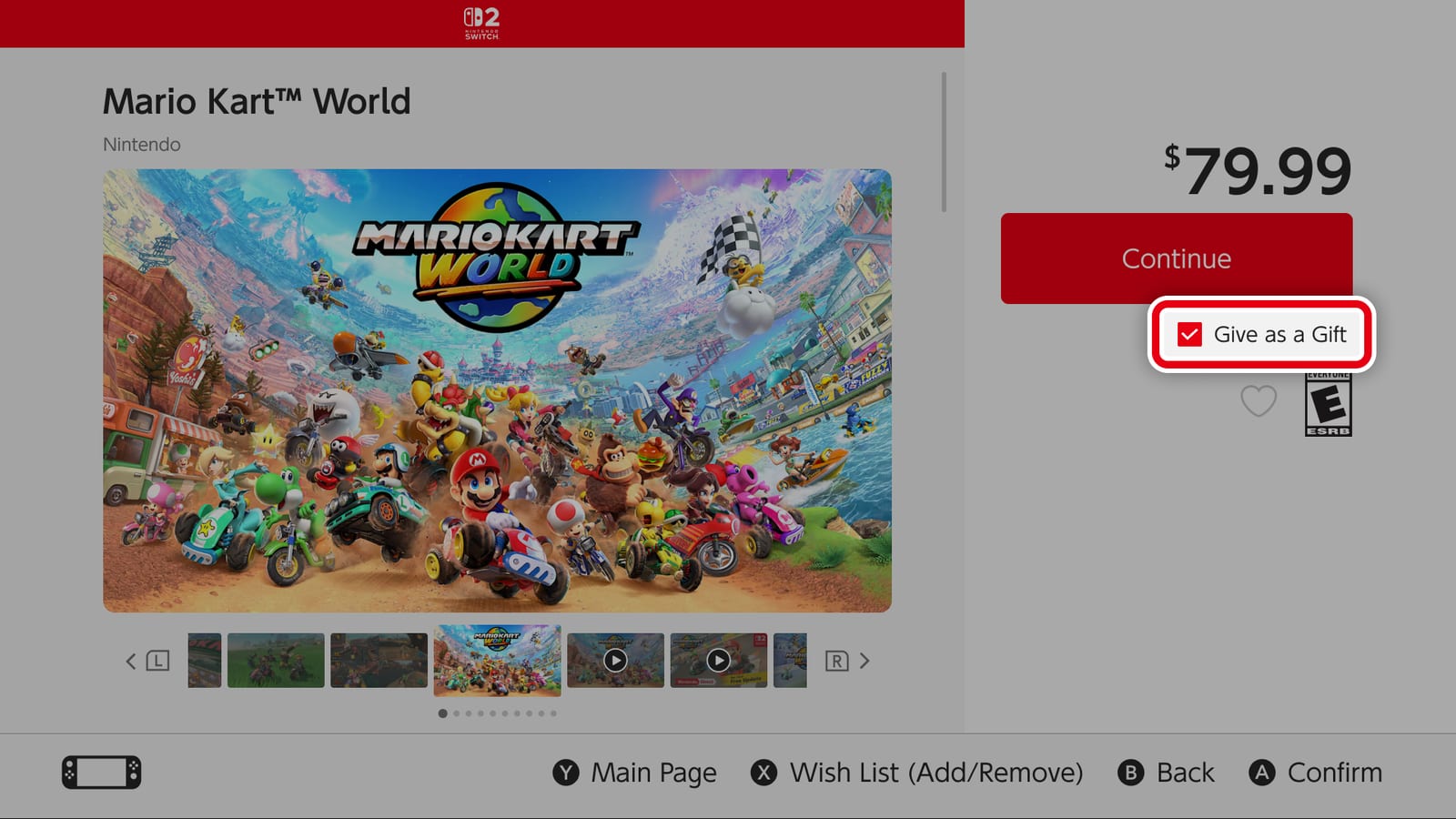
How to gift a game on Nintendo Switch 2
- Find the game in Nintendo eShop.
- Tick the “Give as a Gift” box on its product page.
- Choose the person from your family group, and which of their linked systems should get it.
- Pick a gift wrap colour.
- Complete the purchase.
The gift arrives straight away on the recipient’s HOME Menu, and they can accept it and start playing immediately.
What can you gift, and who can’t?
- Eligible: digital products bought through Nintendo eShop on your device, including games, DLC and upgrade packs. Some products aren’t eligible.
- Who can receive: members of your family group. Any Nintendo Account holder can set one up, with up to 8 members.
- Who can’t send: supervised accounts.
- Limits: Nintendo caps how many digital gifts you can buy in a given period, but hasn’t said what the cap is.
What else is in system update 23.5.0?
Switch 2 system version 23.5.0 came out on November 9 and laid the groundwork for gifting. It also lets you set accessibility options during first-time setup, and adds Portuguese (Portugal) to Text to Speech and to GameChat speech languages.
The previous big update, 23.0.0 on September 9, added VRR in TV mode, which needs a dock update, and system transfers from one Switch 2 to another.