
Steam Deck Verified Is a Starting Point, Not a Frame-Rate Score
GAME MODE Staff·Aug 14, 2026· 2m read
Learn what Valve’s compatibility labels tell you before adding another game to your handheld queue.
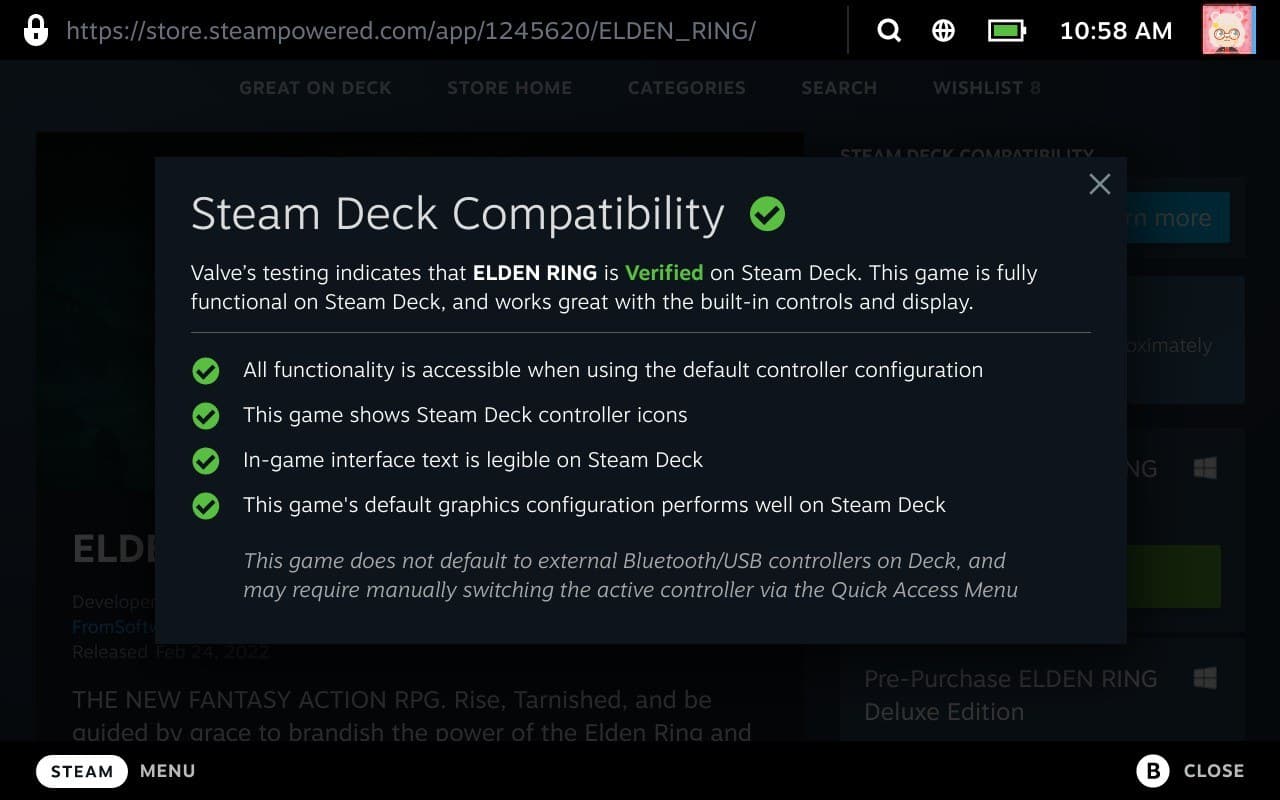
Valve groups Steam Deck compatibility into Verified, Playable, Unsupported, and Unknown. The labels cover whether a game fits the device, with checks involving controls, readable presentation, launch behavior, and system support. They are useful, but they answer a different question from a benchmark chart. (Valve Deck Verified guide)
Read the detail behind the badge
A Playable game may need a manual adjustment, such as selecting a controller layout or using the touchscreen with a launcher. Unknown means Valve has not checked it yet; it is not a verdict that the game fails. Unsupported signals that the current experience does not function as expected on Deck.
Before buying, open the compatibility details and think about the kind of friction you tolerate. A one-time launcher interaction may barely matter during a long RPG. Frequent tiny text or awkward menus can become exhausting in a strategy game you intend to play nightly.
Match expectations to the session
Decide which settings and performance level you find comfortable, then investigate those separately. A compatibility label does not promise that maximum graphics settings will suit your preferred frame rate or battery target.
Valve continues reviewing games and compatibility can change as software evolves. Recheck an older favorite if its status once discouraged you, and confirm the details again before a trip. The badge is most valuable as a quick invitation to read the notes, not as a replacement for understanding how a particular game fits a handheld screen and controls.
Cited sources (1)
- Valve Deck Verified guide ↗steamdeck.com